

Scrolller
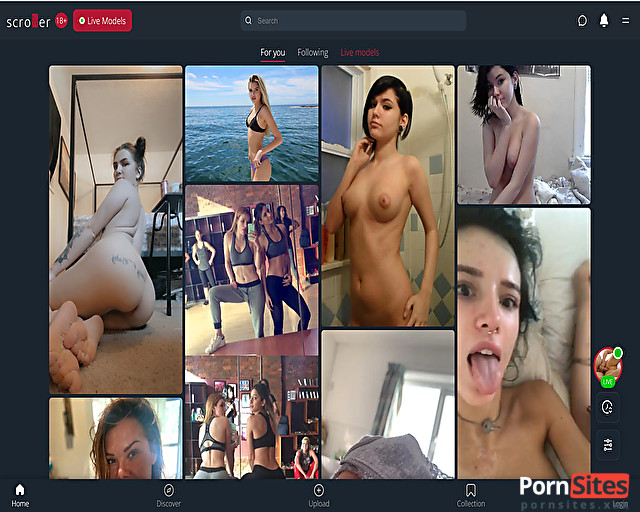
Reddit is undeniably the "front page of the internet," offering an endless stream of content for virtually every niche imaginable. However, the native Reddit interface is built primarily for text-based discussions and comment threads. If your primary goal is to consume visual media, the standard layout can feel cluttered and inefficient. This is exactly where Scroller steps in.
Scroller is a specialized, web-based Reddit viewer designed to make crawling Reddit infinitely easier and more visually appealing. If you want to focus exclusively on pictures, videos, GIFs, and galleries without the distraction of text, Scroller transforms the standard Reddit experience into a seamless, endless media feed. It actively strips out all text posts and comment sections, allowing you to see all the media content of a specific subreddit just by scrolling.
- Launched: 2015
- Added: 16. Jun 2018
- Last Manual Review: 11. Jun 2026
- Updated: 23. Sep 2026
The Pros And Cons Of Scrolller
- Media-First Focus
- Endless Scrolling
- Affordable Premium
- No Unique Content (Reddit)
- Ad-Supported Free Tier
- No Community Interaction
Subreddit Browsing Done Right
Anyone familiar with Reddit knows that the platform’s default layout relies heavily on small thumbnails. To see an image or video in its original size, you typically have to click on the post, wait for it to load, and navigate through massive comment sections—some of which contain many thousands of entries. This is incredibly time-consuming if you are just there for the visuals.
With Scroller, on the other hand, subreddit browsing is done right. You only get the pictures, GIFs, and galleries presented in their original, high-quality size. There is no clicking required to view the content; you simply scroll down, and the site infinitely loads the next batch of media.
If you stumble upon an image and decide you do want to read the context or join the discussion, Scroller provides an easy escape hatch: you simply click through to visit the actual Subreddit page and view the comments. It offers the best of both worlds, keeping you in a visual flow state while leaving the door open for community interaction if you choose.
Pictures, GIFs, and Galleries From All Subreddits
One of the most powerful aspects of Scroller is its universal compatibility with Reddit’s massive database. Scroller does not host the content; it simply fetches it directly from Reddit’s servers. This means that literally any public subreddit with media can be viewed through Scroller's customized interface.
Navigating the Content
Using Scroller is incredibly straightforward. By manipulating the URL or using the site's built-in search bar, you can fetch all the content you want. For example, if you visit the site and type "wallpapers" into the search, you will instantly get hundreds of high-resolution pictures from /r/wallpapers. You can pick any subreddit you want, simply by replacing the subreddit name in the search parameters.
If you are not sure where to go or want to discover new communities, you can look up the Reddit Wiki first—a massive directory page with all the popular and not-so-popular subreddits available. Once you find a community that interests you, bring that name over to Scroller and enjoy the visual feast.
SFW vs. NSFW Browsing
If you already know Reddit, then you also know that there is a massive amount of 18+ content hosted on the platform. There are thousands of NSFW subreddits you can visit for free. Scroller is exceptionally popular for this exact purpose.
Because Reddit’s native mobile app and desktop site can sometimes make browsing mature content tedious (requiring extra clicks to unblur images or bypass warnings), Scroller provides a frictionless alternative. Typing an 18+ subreddit into Scroller bypasses the clutter and delivers the media directly. Of course, the platform works flawlessly for Safe For Work (SFW) content like /r/aww (cute animals) or /r/EarthPorn (nature photography) as well—but historically, media-only viewers are highly favored by users looking for frictionless NSFW browsing.
Performance, Speed, and User Interface
A dedicated Reddit image viewer is only as good as its loading speed. Because Scroller cuts out all the API calls necessary to load hundreds of text comments, user flair, and sidebar widgets, the media loads incredibly fast.
- Endless Scrolling: The pagination is automatic. As you reach the bottom of the screen, the next page of the subreddit is already loading.
- Grid vs. Column Layouts: Users can customize how they want the media displayed, optimizing the space for both ultra-wide desktop monitors and narrow mobile phone screens.
- High-Resolution Fetching: Scroller bypasses compressed thumbnails and pulls the highest resolution image available from the Reddit source link.
- Video Autoplay: GIFs and videos can be set to automatically play as you scroll past them, creating a dynamic, living feed.
Pricing: Free Tier vs. Premium Subscription
Scroller operates on a freemium model, making it accessible to everyone while offering a premium tier for power users.
- The Free Version: The standard version of Scroller is entirely free to use. You can access any subreddit, use all the layout features, and scroll endlessly. The only downside is the presence of banner and inline advertisements inserted between the media posts.
- Scroller Premium: For $20 a year, you can upgrade your account to view everything completely ad-free.
When you break down the premium cost, it comes out to roughly $1.66 per month. If you are a daily user who relies on Scroller to curate your media consumption, paying $20 annually to remove all visual clutter and support the developers is a reasonable and fair price.
Pros and Cons of Scroller
To summarize the experience, here is a quick breakdown of where Scroller excels and where it might not be the right fit for every user.
Bottomline on Scroller
If you use Reddit primarily to look at photography, memes, GIFs, videos, or NSFW galleries, using the native Reddit application is simply inefficient. Scroller takes the absolute best visual parts of Reddit and repackages them into a fast, lightweight, and endlessly engaging interface.
By stripping away the comment sections and small thumbnails, Scroller lets the media speak for itself. Whether you are using the ad-supported free version to casually browse, or you drop the $20 a year for the pristine, uninterrupted premium experience, Scroller genuinely represents subreddit browsing done right.
